
Introduction
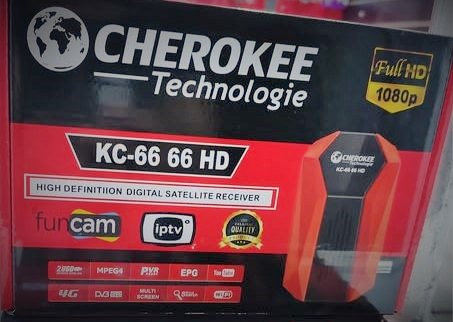
If you are using the Cherokee KC-66 66 HD receiver, then keeping its software updated is very important. A new software update helps your receiver work faster, fix old problems, and add new features.
Many users face issues like signal problems, freezing channels, slow menus, or missing channels. Most of these problems can be solved easily by installing the Cherokee KC-66 66 HD new software.
Table of Contents
Table of Contents
What Is Cherokee KC-66 66 HD Software?
The Cherokee KC-66 66 HD software is the internal system of your satellite receiver. Just like mobile phones get updates, satellite receivers also need software updates.
This software controls:
- Channel scanning
- Picture quality
- Sound system
- Menu speed
- Internet features (if supported)
- Bug fixes
When you install the latest Cherokee KC-66 66 HD software, your receiver becomes more stable and smooth.
Cherokee KC-66 66 HDsoftware free download
| Software Name: | Cherokee KC-66 66 HD |
| Software File Name: | KC-66-66-HD_V2.24_21012026.bin |
| File Extension: | bin |
| File Size: | 4MB |
| Language: | English |
| Downloading Link: | Download |
Why You Should Update the Cherokee KC-66 66 Receiver?
Many people ignore software updates, but they are very important.
Here are some strong reasons:
✔ Better Performance
New software makes your receiver faster and removes lag.
✔ Fix Signal Problems
If your channels disappear or signal drops, the update can fix it.
✔ New Channels Support
Updated firmware supports new frequencies and channels.
✔ Remove Freezing Issue
Most freezing or hanging problems are solved.
✔ Improved Picture Quality
You may notice clearer HD output.
✔ Bug Fixes
Old errors and glitches are removed.
New Features in Cherokee KC-66 66 HD New Software
The latest Cherokee KC-66 66 HD new software update comes with several improvements:
- Faster menu navigation
- Better satellite scanning
- Stronger signal locking
- Improved audio and video sync
- Fixed the remote control delay
- Updated server connection
- More stable system
- Reduced reboot issue
These updates make daily use easier and smoother.
Cherokee KC-66 66 HD New Software Download
Before installing, you must download the correct firmware file.
Important Tips Before Download
- Always download software made for Cherokee KC-66 66 HD only
- Do NOT use other model files
- Use a clean USB (formatted in FAT32)
- Make sure the power is stable
After downloading, you will get a file usually named like:
KC66_66HD.bin or similar.
Copy this file to your USB drive.
How to Install Cherokee KC-66 66 Software (Step by Step)
Follow these simple steps carefully:
Step 1: Prepare USB
- Insert the USB into the computer
- Format it to FAT32
- Copy the software file to the USB root folder
Step 2: Connect the USB to the receiver
- Plug the USB into the Cherokee KC-66 66 HD
Step 3: Open Upgrade Menu
- Press Menu on the remote
- Go to Tools / Upgrade / USB Upgrade
Step 4: Select File
- Choose your software file
- Select All Code mode
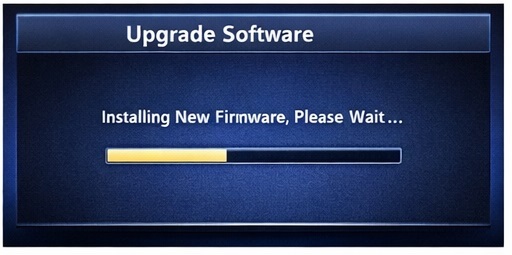
Step 5: Start Update
- Press OK
- Wait patiently (do NOT turn off power)
Update process may take 3–5 minutes.
Step 6: Reboot
After finishing, the receiver will reboot automatically.
Congratulations! Your Cherokee KC-66 66 HD new software is installed.
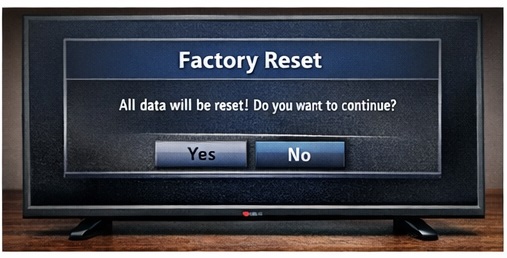
Factory Reset (Recommended After Update)
For best performance, do a factory reset:
- Menu → Tools → Factory Reset
- Default password: 0000
Then scan channels again.
Common Problems After Update (And Solutions)
Problem 1: No Signal
Solution:
- Check dish alignment
- Rescan satellite
Problem 2: Channels Missing
Solution:
- Blind scan again
- Update TP list
Problem 3: Receiver Stuck on Logo
Solution:
- Reinstall software
- Use the recovery method
Problem 4: Remote Not Working
Solution:
- Restart receiver
- Remove batteries and reinsert
Most issues are temporary and easy to fix.
Cherokee KC-66 66 HD Software Technical Information
Here are basic details:
- Model: Cherokee KC-66 66 HD
- File Type: BIN
- Upgrade Method: USB
- Resolution: Full HD
- Supported Format: MPEG-2 / MPEG-4
- USB Format: FAT32
Frequently Asked Questions (FAQ)
Q1: Is Cherokee KC-66 66 HD software free?
Yes, it is completely free.
Q2: Can the wrong software damage my receiver?
Yes. Always use the correct model firmware.
Q3: How often should I update?
Update only when new software is released or when problems appear.
Q4: Does a software update remove channels?
Yes, sometimes. You must rescan channels.
Q5: USB not detected, what to do?
Format USB to FAT32 and try again.
Final Words
The Cherokee KC-66 66 HD new software update is very important for the smooth working of your receiver. It improves speed, fixes bugs, and supports new channels.
If your receiver feels slow or has signal issues, updating the software is the best solution.
Always follow installation steps carefully and never power off during an update.
We hope this guide helped you understand everything in simple words.
If you found this article useful, don’t forget to share it with friends who use Cherokee receivers.