📄 About This Software
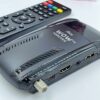
📡 STARCOM SC-120 Receiver – Full Details
Looking for full information about the STARCOM SC-120 receiver? In this post, you will find everything you need to know, including the latest software updates, key features, and a step-by-step firmware installation guide.
Table of Contents
The STARCOM SC-120 is a reliable HD satellite receiver that supports USB upgrades, Wi-Fi adapters, and smooth channel navigation. With regular software updates, users can fix bugs, improve signal stability, and enhance overall performance.
This guide covers:
- Latest STARCOM SC-120 software details
- Key features and specifications
- How to update firmware via USB
- Tips to avoid errors during installation
Whether you are a beginner or an experienced user, this post will help you use your receiver more efficiently.
- Brand: STARCOM
- Model: SC-120
- Type: Digital Satellite Receiver (HD)
- Chipset: M88CS8001B-S000
- Flash Memory: Usually 4MB (in similar models)
- Ports: USB, HDMI, AV, Ethernet (depends on variant)
💻 Software Details
📦 Software Type
- Firmware file format: .bin / .abs
- Installed via USB upgrade
- Supports SPI flash memory systems
🔄 Latest Software Versions
Some known versions:
- V1.11.18094 (2025)
- Other versions available depending on the hardware chip
👉 Software updates are released regularly to improve performance.
⚙️ What Software Update Does
Software updates in SC-120 provide:
- ✅ Bug fixes (remove hanging & freezing issues)
- ✅ Better channel scanning speed
- ✅ Improved system stability
- ✅ Security improvements
- ✅ New features support
➡️ Updating firmware keeps your receiver smooth and fast
📺 1. HD Channel Support
- Supports high-quality video output (HD)
- Clear picture and better sound
🌐 2. USB & Wi-Fi Support
- Works with USB Wi-Fi adapters (like MT7601 / RT5370 in many models)
- Can access online features (in supported firmware)
⚡ 3. Fast Channel Switching
- Quick channel changing
- Smooth navigation experience
📡 4. Strong Signal Processing
- Stable satellite signal reception
- Better performance in weak signal areas
- Simple and easy interface
- Easy to scan and manage channels
🔄 6. USB Upgrade Option
- Software update through USB
- No need for special tools
- Play media files via USB
- Supports video, audio, and images
🛠️ 8. Auto Scan & Manual Scan
- Auto satellite scanning
- Manual frequency entry
🔌 How to Update Software (Simple Steps)
- Download the latest firmware
- Copy file to USB (FAT32 format)
- Insert the USB in the receiver
- Go to:
- Menu → Tools → Upgrade via USB
- Select the file and start updating
⚠️ Do not turn off power during the update
⚠️ Important Tips
- Always install the correct software for your model
- Wrong firmware can damage the receiver
- Match Wi-Fi chipset before updating
- Backup channel list before update
👍 Pros & Cons
✔️ Advantages
- Affordable receiver
- Easy to use
- Good HD quality
- Regular software updates
❌ Disadvantages
- Limited advanced features
- Internet apps depend on firmware
- Some models have low memory
📌 Final Words
The STARCOM SC-120 is a simple and reliable HD satellite receiver. It is best for users who want:
- Basic TV channels
- Smooth performance
- Easy software updates
👉 With regular firmware updates, it becomes more stable and faster over time.






Leave a Reply